AI-powered time logs
Time Logs That Turn Daily Work Into Clear Records.
See how workdays unfold with one clear view of activity, logged work, projects, tasks, apps, and time.
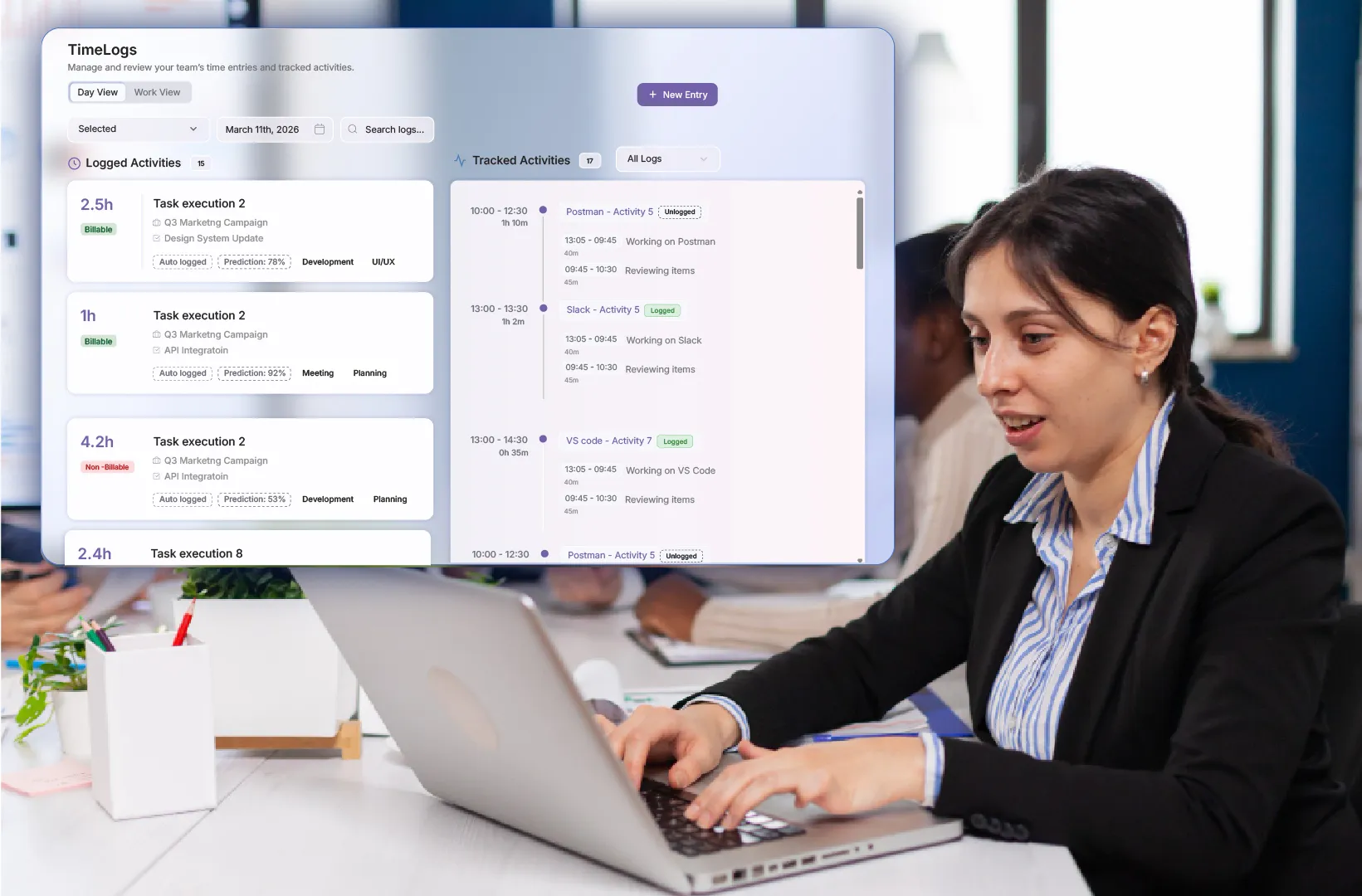
Ralvie product experience
A clear workspace built around the way work actually happens.
Recreated from the supplied Ralvie AI Productivity screens with fresh North American sample data.
Sundial active Capture enabled Search...⋮
Tracked Activities17
Thursday, September 3, 202610:00 – 12:301h 10m
13:05 – 13:45Working on API collection
09:45 – 10:30Reviewing request items
13:00 – 13:301h 02m
13:05 – 13:45Working on client handoff
09:45 – 10:30Reviewing delivery notes
13:30 – 14:300h 35m
13:05 – 13:45Working on authentication
09:45 – 10:30Reviewing pull request
14:40 – 15:250h 45m
13:05 – 13:45Working on design review
09:45 – 10:30Reviewing component states
15:30 – 16:100h 40m
13:05 – 13:45Reviewing client feedback
09:45 – 10:30Updating delivery checklist
16:15 – 16:450h 30m
13:05 – 13:45Documenting release notes
09:45 – 10:30Planning tomorrow’s priorities
16:50 – 17:250h 35m
13:05 – 13:45Joining project wrap-up
09:45 – 10:30Sharing next-step owners
Explore the flow
Turn the workday into a clear story.
Move through activity, time records, and project context without losing the details that explain the day.
Live workspaceExplore a connected view
Sundial active Capture enabled Search...⋮
Tracked Activities17
Thursday, September 3, 202610:00 – 12:301h 10m
13:05 – 13:45Working on API collection
09:45 – 10:30Reviewing request items
13:00 – 13:301h 02m
13:05 – 13:45Working on client handoff
09:45 – 10:30Reviewing delivery notes
13:30 – 14:300h 35m
13:05 – 13:45Working on authentication
09:45 – 10:30Reviewing pull request
14:40 – 15:250h 45m
13:05 – 13:45Working on design review
09:45 – 10:30Reviewing component states
15:30 – 16:100h 40m
13:05 – 13:45Reviewing client feedback
09:45 – 10:30Updating delivery checklist
16:15 – 16:450h 30m
13:05 – 13:45Documenting release notes
09:45 – 10:30Planning tomorrow’s priorities
16:50 – 17:250h 35m
13:05 – 13:45Joining project wrap-up
09:45 – 10:30Sharing next-step owners
Context connected
↗Ready to review
Interaction guide
01Follow the timeline+
Review logged and tracked activity together in chronological context.
02Connect the work+
See the projects, tasks, and tools behind each record.
03Refine with confidence+
Use the surrounding detail to review and finalize time records.
Built for clarity Move from a signal to the context behind it without losing your place.
Other core featuresExplore the rest of the connected
Explore the rest of the connected
productivity platform.
Each capability adds a useful layer of context, from captured activity and visual work records to time, tasks, projects, and productivity signals. Together, they help teams move from everyday work to clearer review, planning, and delivery decisions.
Automatic tracking
Capture approved workplace activity and turn it into useful work context.
Explore moreScreen captures
Add authorized visual context within transparent schedules and access boundaries.
Explore moreTasks
Connect work effort with clear ownership, priority, and task progress.
Explore moreProjects
Understand effort, delivery health, and work distribution across initiatives.
Explore moreDashboards
Turn connected work signals into useful trends and decisions.
Explore moreRalvie AI Productivity
Explore the complete productivity platform for connected work visibility, time intelligence, project delivery, and actionable insights.
Explore moreA clearer way to work
Move from fragmented records to connected work intelligence.
Keep the tools and workflows your team already knows while adding richer workplace context.
How it works
From everyday activity to useful context.
Work happens
Relevant activity is captured
Time history is created
Project and task context is added
Employees review and finalize
Responsible time visibility
Don’t turn time into a performance score.
Time is useful context, but productivity also depends on quality, complexity, collaboration, outcomes, and role.
Give employees access to their own history
Respect schedules and permissions
Use time to improve planning and workload conversations
Frequently asked questions
Time logs, explained.
Clear answers for a more informed, connected workplace.
What are Ralvie Time Logs?
Ralvie Time Logs are structured employee time logs and work activity records that bring tracked activity, logged work, applications, projects, tasks, and time-tracking context into one reviewable history.
What is the difference between tracked and logged activity?
Tracked Activity is captured through Sundial as time-tracking context; Logged Activity is a structured work record that can be reviewed with project, task, application, and timesheet details.
Do employees create every log manually?
No. Ralvie reduces manual time entry and timesheet reconstruction by using captured work activity as supporting context for employee time logs.
Can Time Logs connect with projects and tasks?
Yes. Work history can be associated with relevant projects, task-level time, billable work, and delivery context.
Can Time Logs help create timesheets?
Yes. Captured work history supports AI-assisted timesheet workflows, time tracking review, and more accurate project time records.
Can remote and hybrid teams use Time Logs?
Yes. Ralvie supports remote, hybrid, office-based, distributed, and project-based teams that need clearer employee time tracking and productivity visibility.
Ralvie AI Productivity
Improve Workforce ProductivityWith Ralvie AI
Ralvie AI Productivity helps businesses improve workforce visibility, automate time tracking, simplify reporting, and gain actionable insights into how teams spend their time through AI-powered productivity management.
Smarter workforce visibility. Less manual reporting. Better productivity decisions.